Guía de bloques de campo
Selectores de fecha y hora
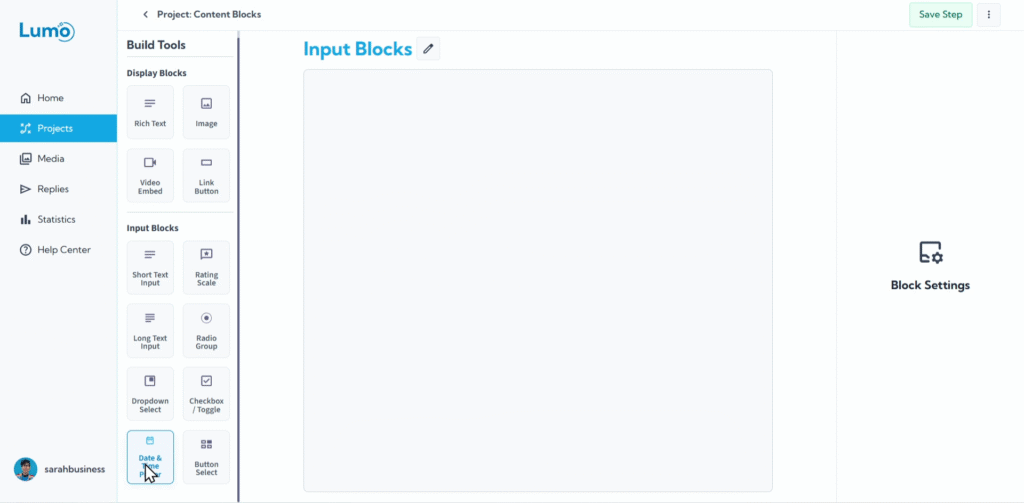
Recopilar fechas y horas específicas de sus usuarios se hace preciso y fácil de usar con el bloque Date. Este versátil bloque de campo le permite recopilar información sobre citas, registros de eventos, fechas de nacimiento o cualquier dato sensible al tiempo directamente dentro de su Lumo.
Esta guía explicará cómo configurar selectores de fecha y hora.
¿Qué es un bloque Date?
Un bloque Date es un bloque de campo que proporciona una interfaz de calendario o selector de hora interactivo, permitiendo a los usuarios seleccionar una fecha, hora o ambas, en lugar de escribirlas manualmente. Esto asegura precisión y consistencia en la entrada de datos.
Paso a paso: agregar un bloque Date
Configure su campo de fecha: Una vez que aparezca el bloque Date, configurará sus propiedades:
Type: Defina si desea recopilar una fecha, hora o ambas.
- Date: Solo permite selección de fecha (por ejemplo, mes, día, año).
- Time: Solo permite selección de hora (por ejemplo, hora, minuto).
- Date and Time: Permite seleccionar ambas.
Default Value: Establezca un valor inicial para el campo cuando se carga el formulario.
- Current: Se rellena automáticamente con la fecha/hora actual cuando el usuario abre el formulario.
- Specific: Le permite elegir una fecha/hora predeterminada fija desde un calendario.
Minimum Date/Time: Establezca la fecha/hora más temprana que un usuario puede seleccionar.
- Current: Los usuarios solo pueden seleccionar desde la fecha/hora actual en adelante.
- Specific: Le permite elegir una fecha/hora más temprana fija.
Maximum Date/Time: Establezca la fecha/hora más tardía que un usuario puede seleccionar.
- Current: Los usuarios solo pueden seleccionar hasta la fecha/hora actual.
- Specific: Le permite elegir una fecha/hora más tardía fija.
Guardar sus cambios
Recuerde guardar sus cambios manualmente después de configurar bloques Date haciendo clic en el botón "Save" en el editor.
Los cambios no guardados pueden perderse si cierra el editor sin guardar.
Los selectores de fecha y hora mejoran la precisión y la experiencia del usuario al recopilar datos sensibles al tiempo. Eliminan errores comunes asociados con la entrada manual y proporcionan un formato consistente para su información recopilada.