Cuenta, facturación y planes
Ver tu historial de pagos y recibos
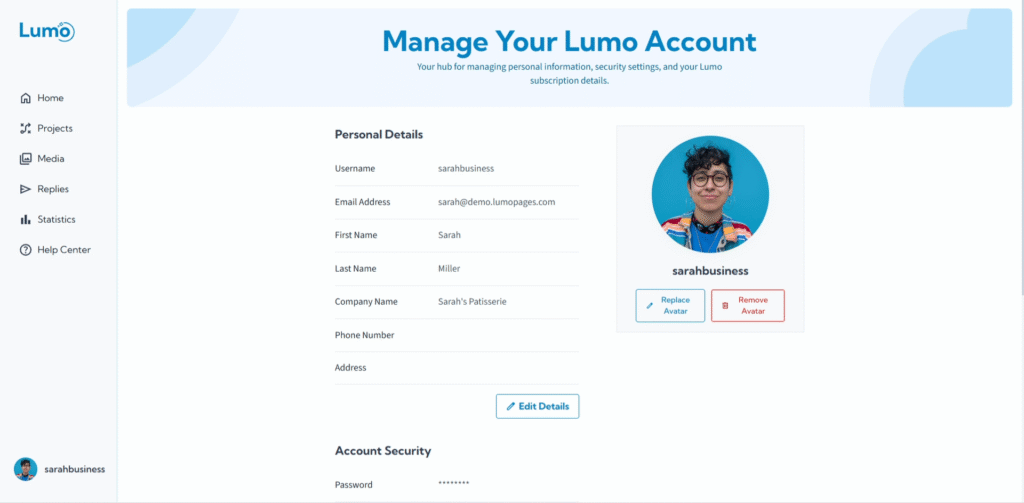
Mantener un registro de sus suscripciones y pagos es esencial para gestionar los gastos de su negocio y los registros financieros. LumoPages proporciona una sección dedicada donde puede ver fácilmente su historial de pagos completo y descargar recibos de todas sus transacciones. Esto garantiza transparencia y simplifica su gestión financiera.
Esta guía le mostrará cómo acceder y gestionar su historial de pagos y recibos.
¿Por qué ver su historial de pagos y recibos?
- Registro financiero: Esencial para la contabilidad empresarial, propósitos fiscales y seguimiento de gastos.
- Presupuesto: Monitoree sus gastos en servicios de LumoPages.
- Verificación de transacciones: Confirme que todos sus pagos se han procesado correctamente.
- Resolución de disputas: Tenga un registro claro de todas las transacciones si surgen preguntas de facturación.
Paso a paso: acceder a su historial de pagos y recibos
Descripción general del historial de pagos. Una vez en la sección "Payments", verá una lista completa de todas las transacciones asociadas con su cuenta de LumoPages. Cada entrada normalmente incluirá:
- Fecha: La fecha en que se procesó el pago.
- Plan: Para qué fue el pago.
- Monto: El monto total cobrado por la transacción.
Consideraciones importantes
- Detalles de la transacción: Los recibos normalmente incluyen todos los detalles necesarios como el servicio proporcionado, fecha, monto e información de su cuenta.
- Ciclos de pago: Familiarícese con el ciclo de facturación de su plan (mensual o anual) para poder anticipar cuándo ocurrirá su próximo pago y cruzarlo con su historial.
- Soporte: Si encuentra discrepancias en su historial de pagos o tiene problemas para descargar un recibo, no dude en contactar al soporte al cliente de LumoPages para obtener ayuda.
La sección "Payment History" proporciona total transparencia y control sobre sus gastos en LumoPages.