Cuenta, facturación y planes
Cancelar tu suscripción
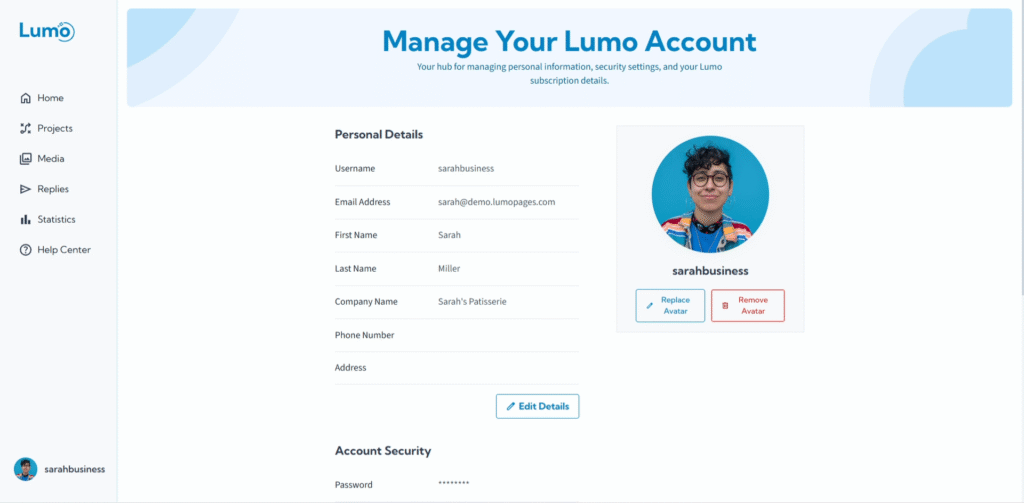
Entendemos que las necesidades comerciales pueden cambiar y, a veces, es posible que necesite ajustar o cancelar su suscripción de pago de LumoPages. Hemos hecho que el proceso de cancelación sea sencillo y transparente, asegurando que tenga control total sobre su facturación y el estado de su cuenta.
Esta guía le mostrará los pasos para cancelar su suscripción de pago de LumoPages.
Consideraciones importantes antes de cancelar
Antes de iniciar una cancelación, tenga en cuenta lo siguiente:
- Sin reembolsos por pagos de plan: Si pagó su suscripción mensual o anual por adelantado, tenga en cuenta que los pagos no son reembolsables. No recibirá un reembolso por ninguna porción no utilizada de su período. Su servicio continuará hasta el final de su ciclo de pago anual.
- Continuación del servicio: Los beneficios de su suscripción de pago (límites de respuestas más altos, más almacenamiento, etc.) normalmente permanecerán activos hasta el final de su ciclo de facturación actual (mensual o anual).
- Downgrade al plan Basic (Free): Después de que finalice su ciclo de facturación de pago actual, su cuenta volverá automáticamente al plan Basic (Free).
- Posibles restricciones de servicio/pérdida de datos: Si su uso (por ejemplo, número de respuestas, almacenamiento total) excede los límites del plan Basic (Free) después de la cancelación, sus Lumos pueden volverse no disponibles y puede experimentar restricciones de servicio o incluso pérdida de datos (especialmente si estaba usando almacenamiento adicional de pago y cancela ese servicio sin reducir el uso). Asegúrese de que su uso actual se alinee con los límites del plan Basic.
- Cancelación en cualquier momento: Puede cancelar su suscripción en cualquier momento antes del final de su ciclo de facturación actual.
Paso a paso: cancelar su suscripción de pago
Confirme la cancelación. Haga clic en el botón "Cancel Subscription".
- Probablemente se le presentará una pantalla de confirmación que explica las implicaciones de la cancelación (por ejemplo, cuándo se reducirá su servicio, pagos anuales no reembolsables, posibles restricciones de datos).
- Lea esta información cuidadosamente y confirme su decisión de proceder con la cancelación. Es posible que se le pida que proporcione un motivo de cancelación (comentarios opcionales).
Preste mucha atención a los detalles en la pantalla de confirmación, especialmente con respecto a la fecha de finalización de su servicio de pago actual y cualquier impacto potencial en sus datos o la disponibilidad de Lumo una vez que su plan se reduzca.
¿Qué sucede después de la cancelación?
- Revisar confirmación: Después de confirmar, se actualizará el estado de su suscripción. Normalmente recibirá un correo electrónico de confirmación de su solicitud de cancelación, indicando que su plan de pago no se renovará al final del ciclo de facturación actual.
- Los beneficios de su plan de pago permanecen activos hasta el final de su período de facturación actual.
- Al final del período, su cuenta cambiará automáticamente al plan Basic (Free).
- Cualquier Lumo o dato que exceda los límites del plan Basic estará sujeto a las restricciones del plan Basic (por ejemplo, los formularios pueden volverse no disponibles si tienen demasiadas respuestas o demasiado almacenamiento utilizado).
Si sus necesidades cambian nuevamente, siempre puede elegir actualizar su plan nuevamente desde su sección Account Management en cualquier momento.