Solución de problemas
Contactar con soporte
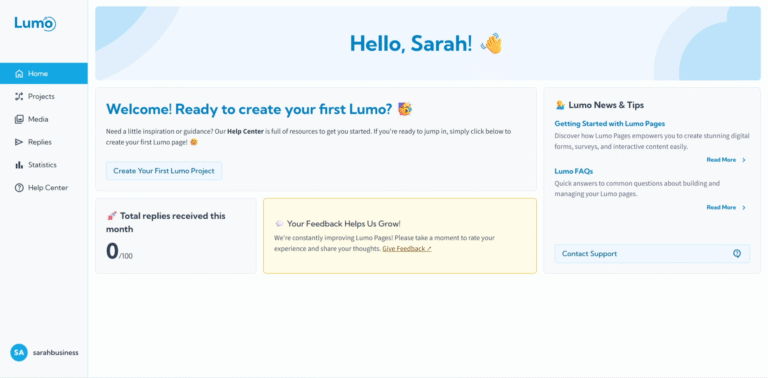
Si bien LumoPages proporciona un Help Center completo y varias guías de solución de problemas para ayudarle a resolver problemas comunes, inevitablemente habrá momentos en los que necesite asistencia directa. Para problemas específicos de la cuenta, fallos técnicos o discrepancias de facturación, nuestro equipo de soporte está listo para ayudar.
Esta guía explicará cómo y cuándo contactar mejor al soporte de LumoPages.
Cuándo contactar al soporte de LumoPages
Siempre es buena idea revisar primero el Help Center y las guías FAQ, ya que muchas preguntas comunes tienen respuestas disponibles. Sin embargo, debe contactar al soporte para problemas que sean:
- Específicos de la cuenta: Problemas relacionados con su perfil de usuario, problemas de inicio de sesión no resueltos mediante restablecimiento de contraseña o configuración de cuenta.
- Facturación y pagos: Discrepancias en su historial de pagos, preguntas sobre cargos por uso adicional o problemas con la gestión de suscripción que no puede resolver a través de la sección de facturación.
- Fallos técnicos y bugs: Si encuentra un bug persistente dentro del editor (por ejemplo, un block que no se guarda, una función que no funciona como se describe) a pesar de seguir todas las instrucciones.
- Problemas de datos: Si sospecha pérdida de datos o tiene problemas para acceder a sus respuestas enviadas.
- Solicitudes de funciones (canales específicos): Si bien los comentarios generales siempre son bienvenidos, las solicitudes de funciones específicas pueden tener canales dedicados (por ejemplo, un roadmap público o portal de comentarios), pero el soporte a menudo puede orientarlo.
Cómo contactar al soporte de LumoPages
LumoPages generalmente proporciona un camino claro para contactar al soporte, a menudo a través de un formulario de contacto dedicado o una dirección de email listada dentro de la plataforma.
Complete el formulario de contacto o envíe un email:
Dirección de email: [email protected]
¡Cuanto más detalle proporcione, más rápido podrá ayudarle nuestro equipo de soporte!
Para ayudar al equipo de soporte a resolver su problema rápidamente, incluya:
- Su dirección de email registrada en LumoPages: Esto nos ayuda a localizar su cuenta.
- El nombre/ID del Lumo (proyecto) involucrado: Si el problema es específico de un formulario (por ejemplo, "Customer Feedback on Patisserie Visit").
- Una descripción clara del problema: Explique qué sucedió, qué estaba intentando hacer y qué esperaba que sucediera.
- Pasos para reproducir: Si es un bug, enumere los pasos que tomó que llevaron al problema.
- Capturas de pantalla o grabaciones: ¡Los elementos visuales son increíblemente útiles! Tome capturas de pantalla del mensaje de error o del comportamiento inesperado.
- Información del navegador y dispositivo: Mencione qué navegador está usando (por ejemplo, Chrome, Firefox) y si el problema ocurre en diferentes dispositivos (desktop, mobile).
Qué esperar después de contactar al soporte
- Confirmación: Normalmente recibirá un email automatizado confirmando que su solicitud ha sido recibida.
- Tiempo de respuesta: Nuestro equipo de soporte aspira a responder lo más rápido posible. Los tiempos de respuesta pueden variar según la complejidad de su problema y el volumen actual de soporte.
- Seguimiento: El equipo de soporte puede solicitar información adicional para ayudar a diagnosticar y resolver su problema.
LumoPages aún está en su primera versión, y aunque nos esforzamos por la perfección, pueden ocurrir fallos ocasionales. Sus informes detallados son invaluables para ayudarnos a identificar y corregir estos problemas, contribuyendo a una mejor experiencia para todos. Apreciamos su paciencia y cooperación.
No dude en contactarnos si necesita asistencia. Nuestro objetivo es garantizar que su experiencia con LumoPages sea lo más fluida y exitosa posible.