Integraciones y opciones avanzadas
Creación automatizada de formularios personalizados a escala
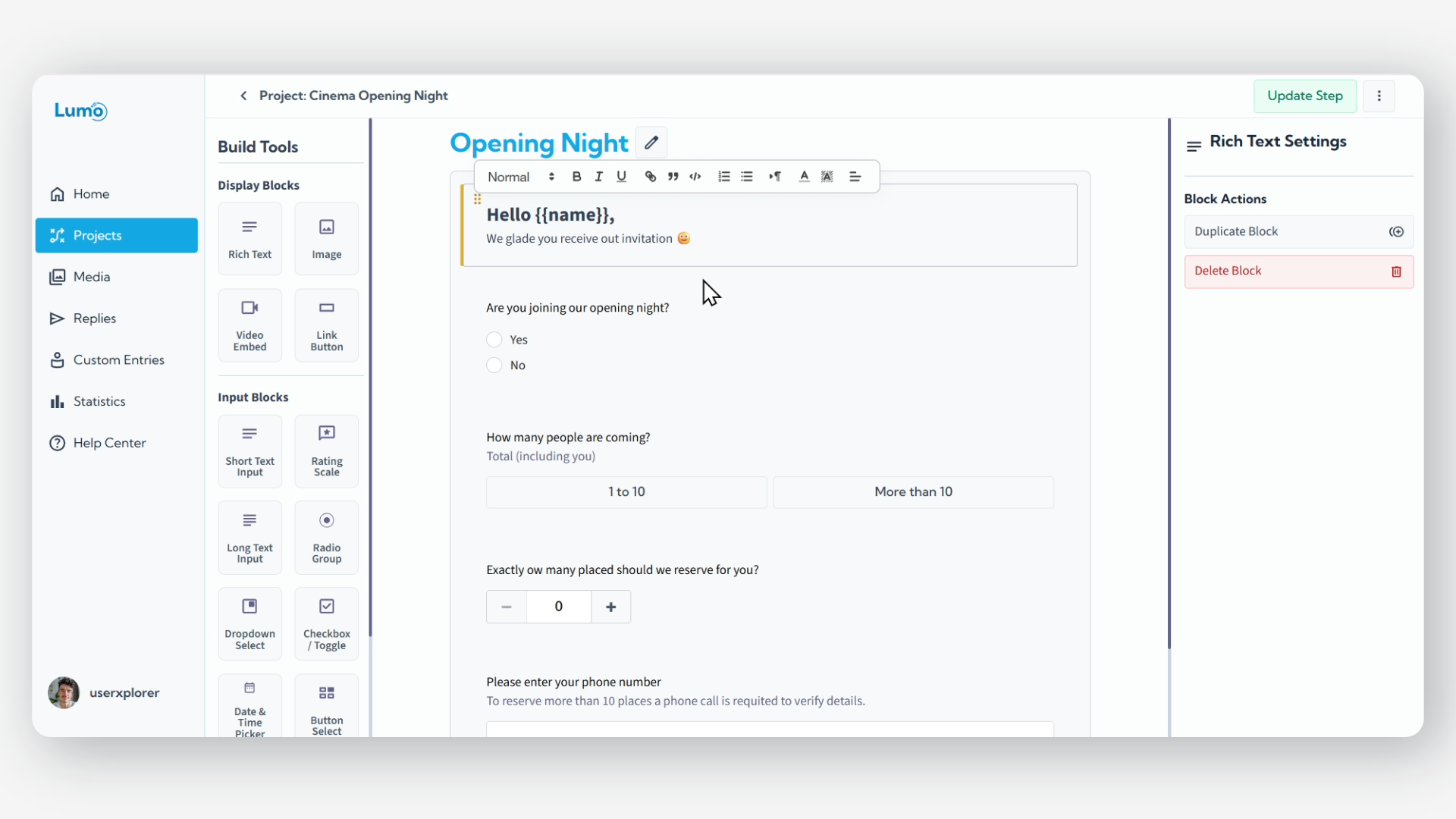
Gestionar y distribuir un gran volumen de formularios personalizados puede ser una tarea compleja y que consume mucho tiempo. Lumo Entries ofrece una solución revolucionaria, permitiéndole generar y gestionar automáticamente miles de formularios únicos y prellenados desde una única fuente de datos.
¿Qué son Lumo Entries?
Lumo Entries está diseñado para optimizar la creación de formularios individuales para destinatarios específicos. Sube un archivo CSV que contiene conjuntos de datos únicos (como nombres, IDs o mensajes específicos). El sistema toma cada fila de su CSV y usa esos datos para completar placeholders dentro de su proyecto Lumo, creando efectivamente un formulario Lumo distinto y personalizado para cada entrada de su archivo.
El flujo de trabajo de Lumo Entries
- Prepare su archivo CSV: Comience creando un archivo CSV donde cada fila representa los datos de un formulario personalizado, y cada columna corresponde a un placeholder en su proyecto Lumo (por ejemplo, una columna llamada Name para un placeholder {{name}}).
- Cargar y generar: Dentro de su proyecto Lumo, seleccione la opción Lumo Entries y cargue su CSV. LumoPages generará automáticamente un Lumo único para cada fila de datos. Cualquier contenido en su proyecto que contenga placeholders será reemplazado con los datos específicos de la fila correspondiente.
- Acceder y gestionar formularios: Una vez generados, tendrá acceso a los formularios creados. A cada Lumo personalizado se le asigna una URL dedicada y persistente que incluye un token único, permitiendo acceso directo y posible edición de ese formulario específico.
- Exportar datos actualizados: Después de que se hayan accedido o completado los formularios, puede volver a exportar su archivo CSV original. Este archivo actualizado incluirá nuevas columnas que contienen la URL y el token únicos para cada Lumo personalizado, facilitando el seguimiento y la distribución.
La URL única de cada formulario personalizado, que contiene un token persistente, permite acceso directo. Es crucial evitar incrustar información altamente sensible o confidencial dentro de estos formularios, ya que cualquier persona con el enlace puede ver y potencialmente modificar los datos. Siempre tenga precaución y asegure el manejo seguro de estos enlaces.
Beneficios de usar Lumo Entries
- Personalización masiva: Distribuya eficientemente miles de formularios, cada uno adaptado de forma única a su destinatario, sin personalización manual.
- Ahorro significativo de tiempo: Automatice tareas repetitivas de creación de formularios, liberando tiempo y recursos valiosos.
- Distribución optimizada: Gestione y comparta fácilmente enlaces de formularios individuales, simplificando su flujo de trabajo para campañas, encuestas o registros.
Cada Lumo Entry creado cuenta como un envío de formulario contra su límite mensual de respuestas. Esto ocurre en el momento de la generación, independientemente de si el formulario se completa o edita posteriormente.
Lumo Entries transforma la forma en que aborda la distribución de formularios a gran escala, permitiendo una eficiencia y personalización sin precedentes.